By default, the label which was being printed out at the IN and OUT screen, are assigned for the respective printer during the designing ( Tools -> Label -> Label Design) of the label in the eStockCard Warehouse System.
However, if there different printer model is being used for the eStockCard Client PC’s, the users would be able to overwrite the default printer.
1. Go to Setting -> System -> Operation Setting
2. Under the Global Tab Setting, look for the Overide Barcode Printer column as shown below:-
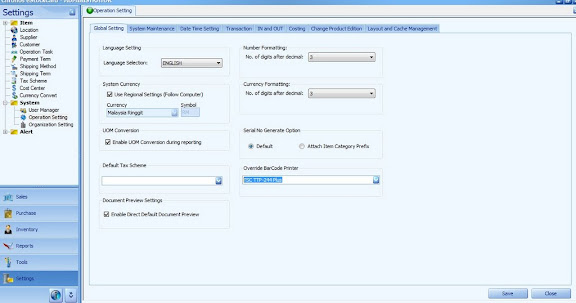
4. Select the respective printer for the eStockCard Client PC’s and then Save it.