Free Edition

- Client and Server program are installed at a single PC and an optional mobile computer ( eStockCard v3 Mobile) connected via WIFI
- Not networkable for desktop eStockCard.
- With limitations on certain functionality.
- 30 days trial period for the eStockCard v3 Mobile.
Full Edition with License – Standalone Version
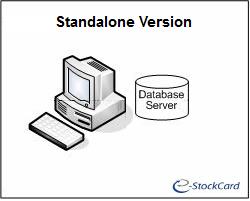
- Client and Server program are installed at a single PC.
- Network-ready and database can be transferred to another dedicated PC with full functionality.
Full Edition with License – Network Version
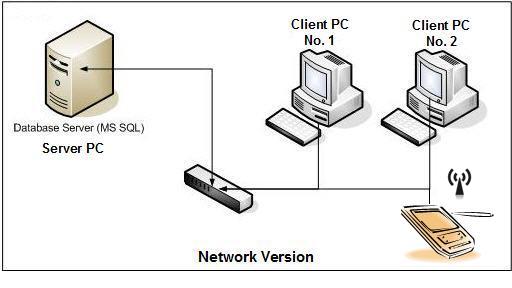
- E.g. There are 2 Client PCs to be connected to the Server PC and a mobile computer connected via WIFI
- Customers should purchase a full license for EACH Client PC so in this case, 2 licenses are required for desktop PC and a license for the eStockCard v3 Mobile.
- You can either install the Client PC with the Client ONLY program or choose the Standalone (Client + Server) installation.
- For the Server PC where you store the database, you just install the Server ONLY program or choose the Standalone installation.
- For the eStockCard v3 Mobile on the mobile computer, the users can just connected to any of the eStockCard Client PC’s IP address via WIFI LAN.
Related posts:
- Connect Multiple Computers with eStockCard Inventory Software Installed via LAN
- SQL Server 2005 Installation Problem on the eStockCard Inventory Software – Troubleshooting Steps
- Can I networkly connected eStockCard Inventory Software to share the same database via internet?
- I’m using eStockCard warehouse system Network Version. After changing my computer name, why I unable to connect to eStockCard server again?
- Step to transfer the eStockCard inventory software license to another computer